
What I do and how I do it – My creative process
Hey!
As I’m new to business I thought I would share some blog posts so you can get to know a bit about me, and what I do. So I suppose I’m starting with the WHAT and HOW..
A friend recently told me when looking at my products, it’s not clear that my designs are drawn by hand, so I thought I’d give you a little insight into my creative process.
I make celebration prints for special occasions.. for Wedding Anniversaries, Graduations, and like this little guy below.. Birth Announcements. I’ve designed them as unique, personalised gifts for you to give at a special moment in life, when you don’t want to get them something they already have 3 of, and instead can gift a memento to remember that moment.
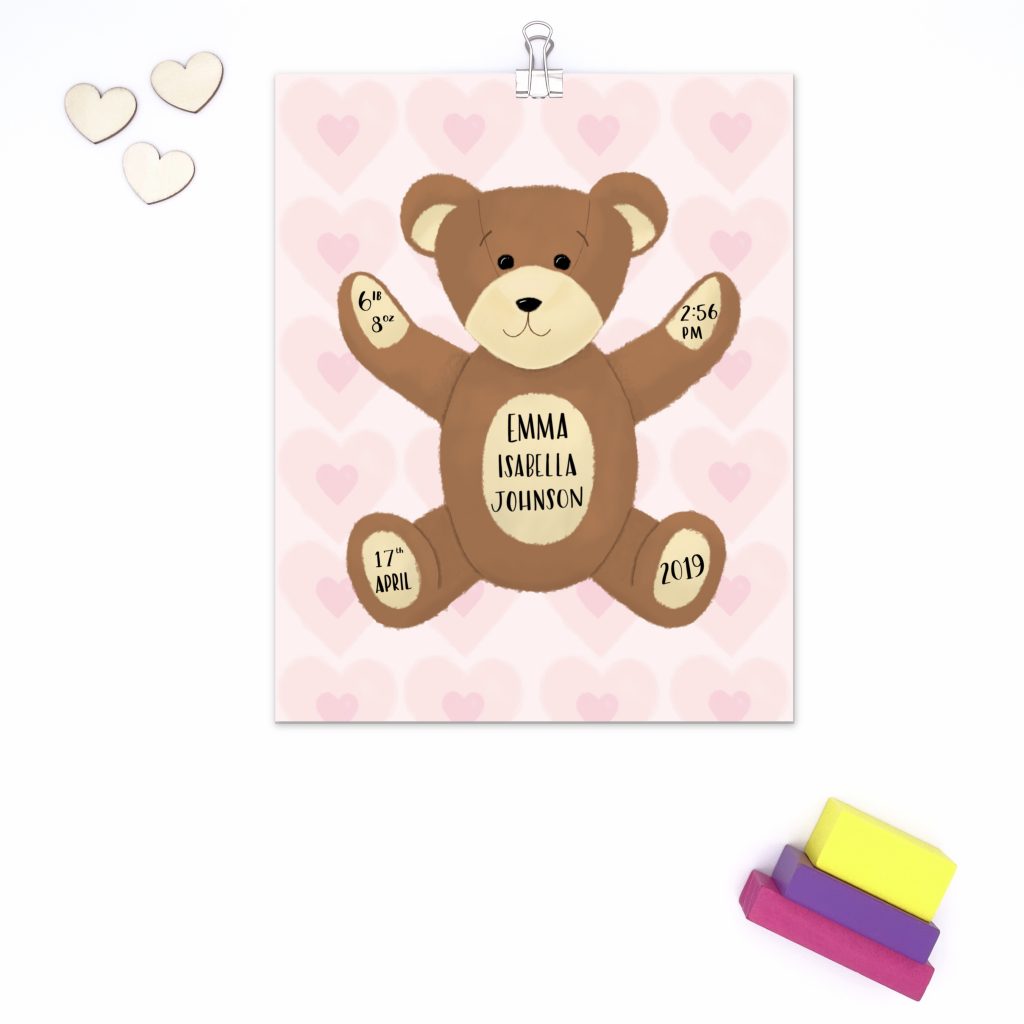
So that’s the what, but how do I do it?
When I have an idea, I tend to head over to Pinterest to search for images for inspiration. Let’s take the teddy bear picture as an example. I’ll look for some images of real teddy bears, and some cartoon images too. I’ll pin them to a board, and when I’ve got a few that I like, go over to the board and really look at them, and make a note of the elements that I like. I usually start with pencil and paper to sketch out at first.
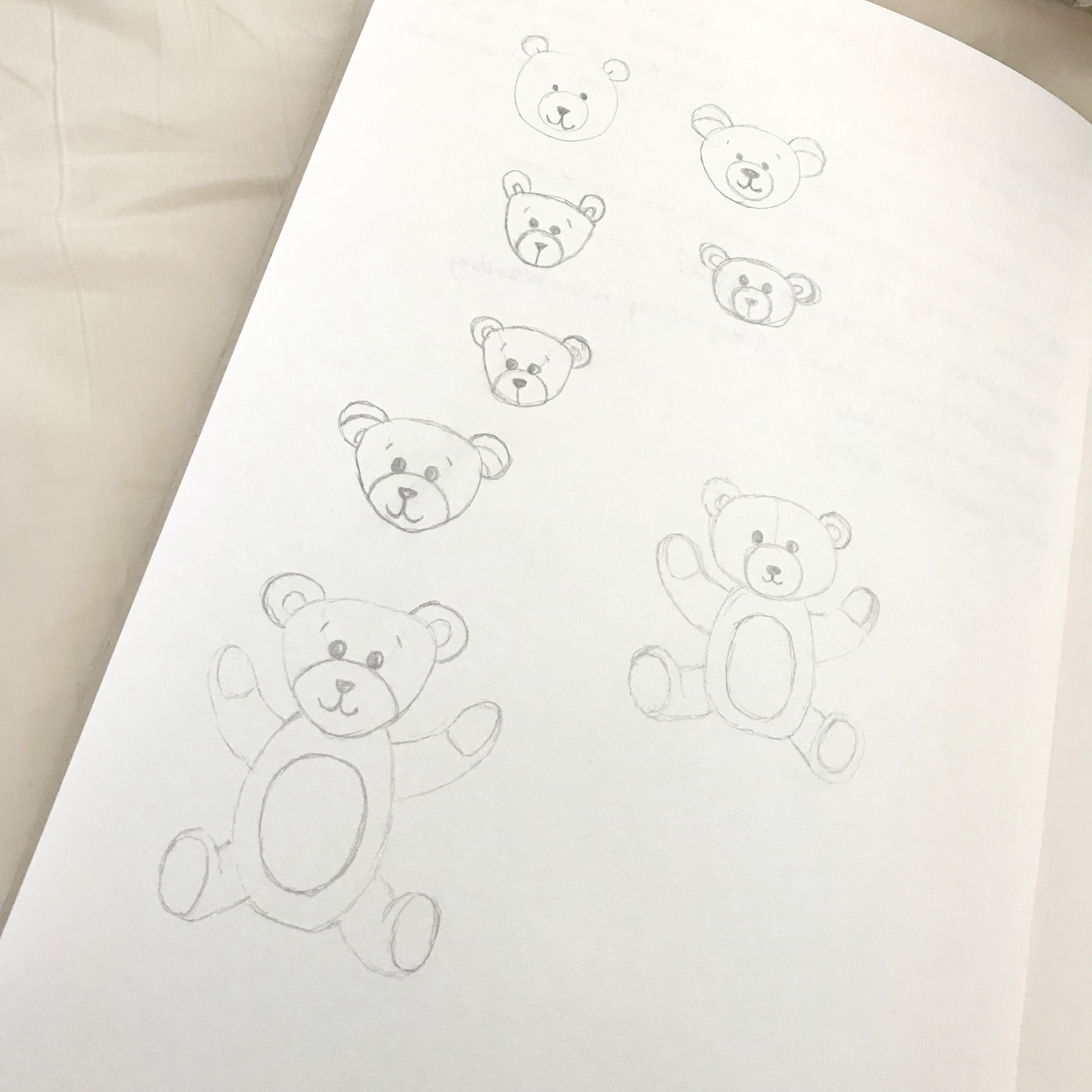
When I’ve refined the sketch to something that I’m happy with, I’ll take a picture of it with my iPad Pro, and import it into an app called Procreate. It’s a fabulous drawing app with tons of tools to create beautiful artwork. And the team that make the app are always working to create updates with new shiny features! You do have to pay for it, but it’s a one off charge of about £10, which is 100% worth it, I highly recommend it! (not an ad, I just think it’s that good!)
Once I’ve imported my sketch into Procreate, I add a new layer and start tracing the shapes with my Apple Pencil. I refine the sketch as I go, using different colours so I can see what I’m doing. Then I add colour and bring in more detail to make the bear look extra cute. Then I think about backgrounds, which colours and designs would work to complete the overall look. Lastly, I use a different brush to add the personalised details.
Here’s a time lapse video from Procreate (another awesome feature of the app! It automatically creates a time lapse video for you) to give you an insight into how I work.